iPod Variations Help Guide
See the tutorial video below for setup and usage instructions, or scroll down for troubleshooting information. For additional support, please contact Kian.
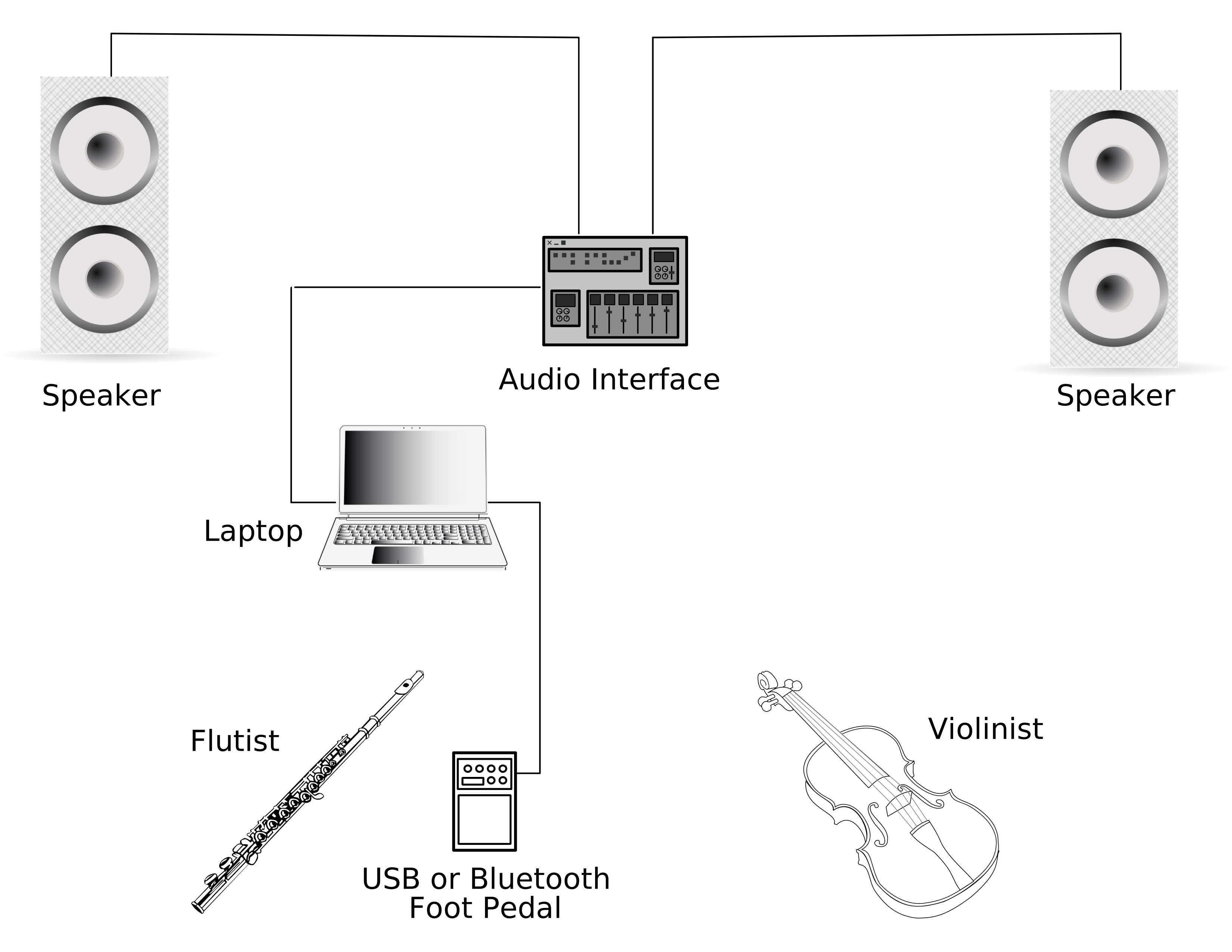
Setup Diagram
Downloads
- Max (Download the free version, it is not necessary to have a trial of the paid version)
- iPod Variations Max Project
Troubleshooting
Audio is not working
Make sure the downloaded ZIP folder for iPod Variations is unzipped. Open the folder and ensure that the enclosed “media” subfolder contains all 61 WAV files.
Open the project file and go to Audio > Open Audio Settings. Ensure that the correct audio output device is selected. Also, try toggling the “Audio On” button off and on again.
Foot pedal is not working
If using a USB foot pedal, ensure that the pedal is set to spacebar. This is usually done with a software that can be downloaded from the foot pedal manufacturer’s website.
If using a bluetooth foot pedal, check the computer’s bluetooth settings to ensure that the pedal is connected. The computer must also be within range of the pedal’s bluetooth signal. Ensure that the left pedal is set to PageDown (STOP), and the right pedal is set to PageUp (GO). This is usually done with a software program that can be downloaded from the foot pedal manufacturer’s website.
Mirroring is not working
First, ensure both devices are connected to the same WiFi network or mobile hotspot. Press the “refresh” button everytime your device connects to a new network to generate a unique connection URL.
The most common reason for this issue is that the WiFi network has a firewall blocking the Miraweb connection. The best solution is to connect both devices to a mobile hotspot. The mobile hotspot can be from the phone you’re using to mirror, or a different device.
In rare instances, there is an issue with the latest issue of Miraweb. Open the iPod Variations Project File and go to Mirror > Install Miraweb. If Miraweb is already installed, press “uninstall” and download a previous version.
Something else is not working
Try downloading version 9.1.2 from the Max website, and reopening the iPod Variations project file. Turning your computer off and on again is always worth a try. If the issue persists, please contact Kian.
Updated 2026-05-14